 DeskRecorder
Showing beats writing it out
A quick walkthrough for a coworker, a bug report, a how-to for a client. Typing out "click here, then there, then the third button" takes longer than just showing them, and they still get lost.
DeskRecorder records what's on your screen along with your microphone and saves it as a video file. That's the whole job.
Why I built this
I used to record my desktop with an ffmpeg script of my own. It worked, but it was fiddly, and keeping the voice in sync with the picture took some tricks.
These days the browser can do the simple job (mic plus screen) on its own, and it keeps the sound and picture in sync by itself. So I built this and skipped the script.
How it works
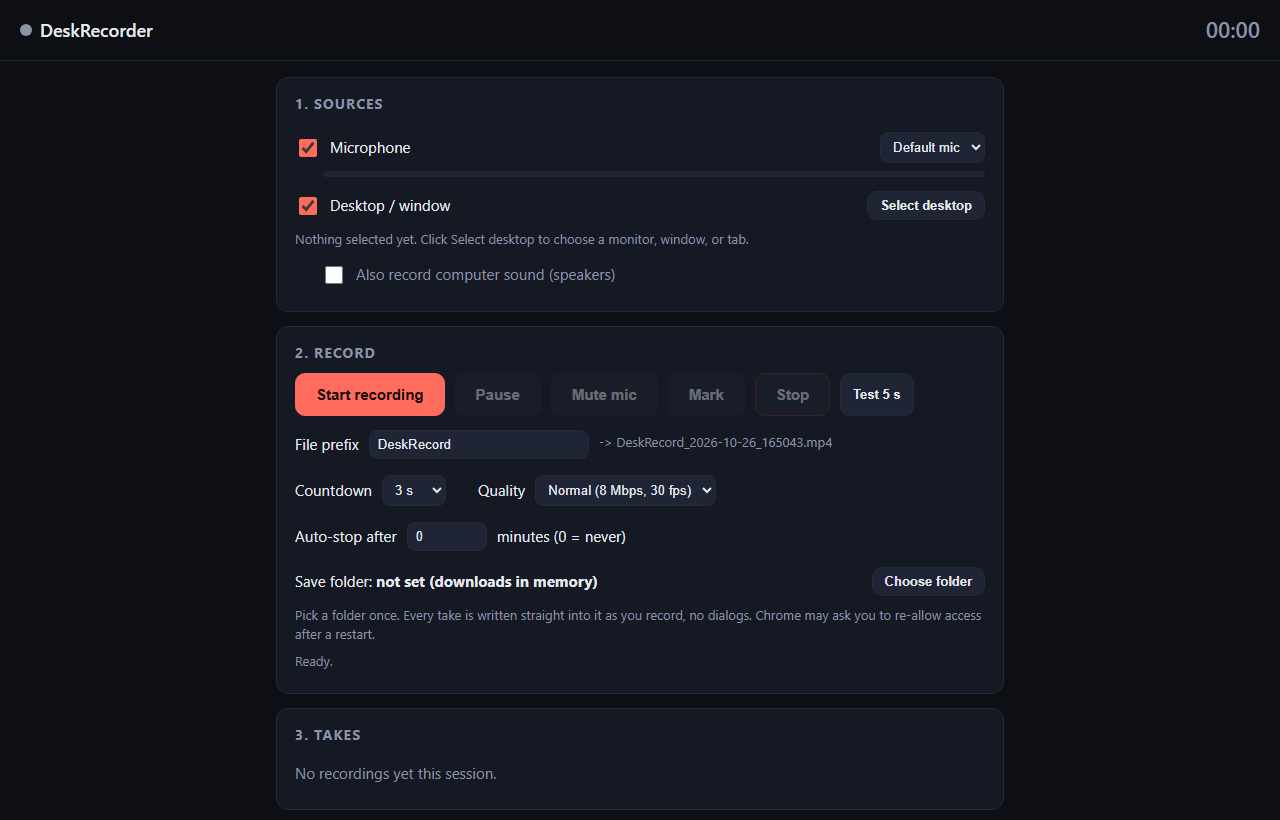
- Choose a save folder. Pick it once and every take is written straight into it as you record. No dialogs.
- Pick your microphone. A live meter shows your level. Tick the speaker option if you also want the computer's own sound.
- Press Select desktop and choose a whole screen, a single window, or one browser tab.
- Press Start. A countdown gives you a moment to get ready.
- Press Stop when you're done. The file appears in your folder.
Screen, window, or tab
Whole screen records everything, including notifications that pop up. Close your chat apps first.
A single window records only that program, even if you click elsewhere. It's the safest choice for a clean recording.
A browser tab records just that page. The computer sound option only shows up when you share a whole screen or a tab.
The extra controls
Pause and resume without starting a new file. Mute mic mid-take while the computer sound keeps going. Mark drops a marker at an interesting moment, and the markers are saved as a same-name text file next to the video, so you can find the flubs when editing.
Auto-stop ends the recording after a set number of minutes, in case you forget. Test 5 s records five seconds, plays it back, and never saves it. Use it to check your mic before a long take.
Keyboard: Space starts or stops, P pauses, M mutes, X drops a marker.
Why I ask for your email
Your recording never leaves your device. The video is built in your browser and written to the folder you picked, so nothing is uploaded and nothing is stored on a server. The email is how I keep these tools free and know real people are using them.
I might send you a note now and then about other free tools I build. I will never sell or give your email to anyone else.
Questions people ask
Is it really free?
Yes. There's no charge and no subscription. You sign up once per browser and that's it.
What kind of file do I get?
An MP4 when your browser supports it, otherwise WebM. Mic and computer sound are mixed into one audio track. Turn off the desktop and you get an audio-only file.
Which browser should I use?
Chrome or Edge on Windows work best.
Why can't I hear the computer audio?
That option only works when you share a whole screen or a tab, and you have to tick the audio box in the browser's share picker.
Can it record my webcam too?
No. It records your mic and your screen. Webcam picture-in-picture isn't part of it.
What if I close the tab while recording?
The recording stops and you may lose it. Keep the tab open until you press Stop.